

MnCHOICES Assessment v20.1.1 Release notes and companion documentation
1/17/2020
Purpose of release notes and companion documentation
This page is a visual, step-by-step document that describes how to use the changes made to specific functions and tasks for the MnCHOICES Assessment (MnA) computer application in version 20.1.
- This release includes updates to offline mode, which will prevent data loss and improve performance. It also updates a scrolling feature when assigning assessments in the Assignment queue.
- Changes require an updated URL address.
NOTE: Some visuals in this document may look slightly different than the final version presented in the application.
New feature with all future MnA releases:
Beginning with the 19.9 release, MnA automatically updates any open, in-flight assessments and any reassessments with the new release content. The new code will automatically update changed questions and remove old questions. As recommended in the past, assessors should not:
- Need to save data outside the assessment in an alternate format prior to the release
- Have to enter saved information back into the assessment after the release
This should avoid problems with assessors running eligibility after changing questions or losing data from retired questions. If an assessor experiences problems with MnA data after the release, they should contact the help desk for assistance.
Helpful Hint: Make sure you are in the current version of the MnCHOICES Assessment.
- Log in to the MnA application, and select “User Profile” from the gray bar.

- Select “About MnCHOICES” from the User Profile dropdown choices.
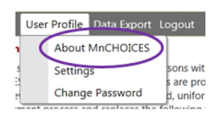
- The first sentence on this page will show you which version of MnA you are using.

- Delete bookmarks with outdated URL and create new bookmarks with updated URL.
As you work in the new MnA release, here are the release notes:
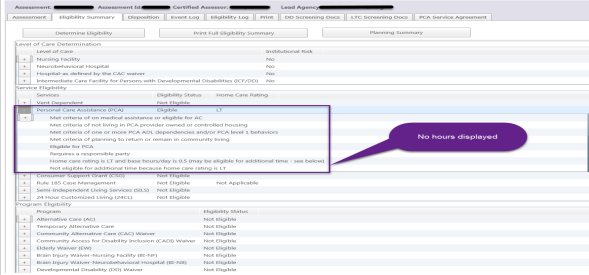
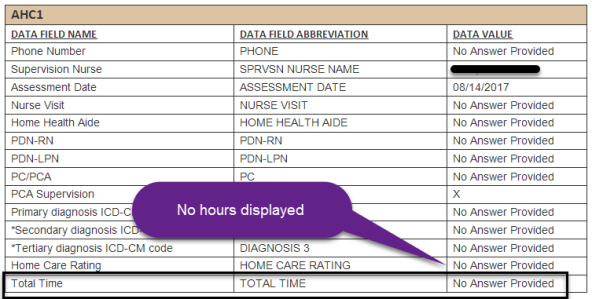
- Previous functionality: An assessment with a home care rating of LT generated a “no answer provided” message for the hours field on the MMIS/Service Agreement Report in MnCHOICES Support Plan (MnSP).
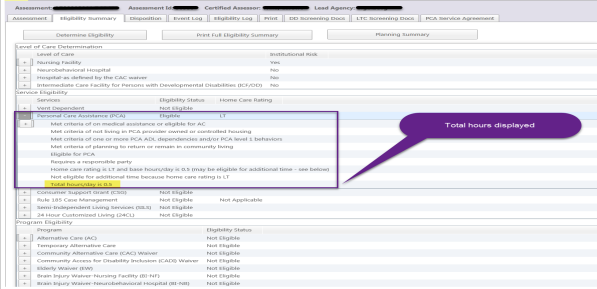
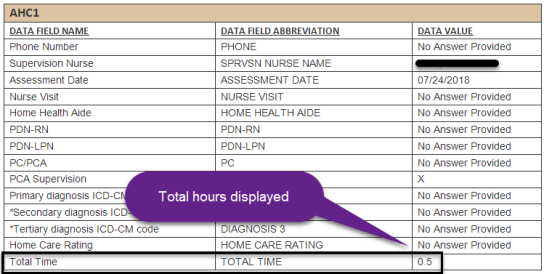
New functionality: Updates to eligibility rules (iLog) now record the LT home care rating hours correctly, so the assessment displays 0.5 in the “Total hours/day” field and the correct total time displays in the MMIS/Service Agreement Report in MnSP.
- Previous functionality: MnA may not respond and an infinite barber pole displayed when adding an intake, assigning an assessment or reassessment to a user or loading eligibility results.
New functionality: MnA was corrected so the barber pole only displays briefly when adding an intake, assigning the assessment or loading eligibility results.
- Previous functionality: When a user performed a search by Assignable Date in the All Assessment Activity Queue, the start date would use the assignable date and end date would use the result date so some assessments would not display.
New functionality: When a user searches by Assignable Date, the start and end date use the assignable date field and all assessments with a matching date will display.
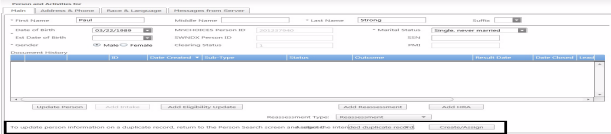
- Previous functionality: The update person message overlapped the Assigner field and did not allow the Assigner drop down menu to function in the Person and Activities screen.
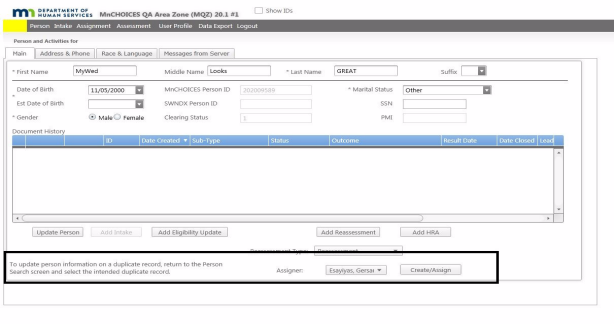
New functionality: MnA was corrected so the message displays without overlapping the Assigner fields and the drop down menu remains functional.
As you work in the new MnA release, here is the companion documentation:
- Before the release, an assessment with a home care rating of LT generated a “no answer provided” message for the hours field on the MMIS/Service Agreement report in MnSP. This resulted in no time displayed in the “Total hours/day” field when 0.5 should have displayed. After the release, updates to eligibility rules (iLog) now record the LT home care rating hours correctly, so the assessment displays 0.5 in the “Total hours/day” field of the Eligibility Summary and the correct total time displays in the MMIS/Service Agreement Report in MnSP.
- Before
-
- After
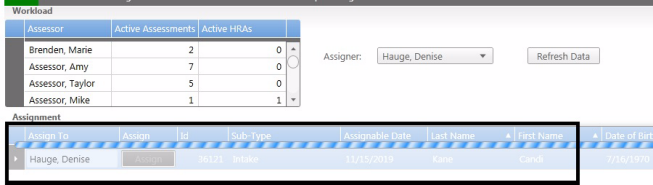
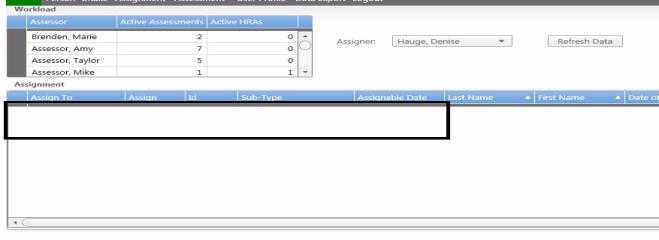
- Before the release, MnA may not respond and an infinite barber pole displayed when adding an intake, assigning an assessment or reassessment or when loading eligibility results. After the release, MnA was corrected so the barber pole only displays briefly to a user’s command when adding an intake, assigning the assessment or loading eligibility results. After the barber pole displays briefly, the user is returned to the application and the intake is created, the assessment is sent to the Assignment queue or eligibility results are loaded and available.
-
- Before
-
- After
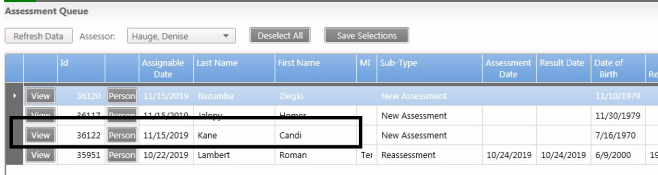
- Before the release, when a user performed a search by Assignable Date in the All Assessment Activity Queue, the start date would use the assignable date and end date would use the result date so some assessments would not display. For example, a user would search for an assessment by the Assignable Date and entering the same start and end date that was before the Result Date. The assessment did not display. If the user changed the end date to the Result Date, the assessment would display. After the release, when a user searches by Assignable Date, the start and end date use the assignable date field and all assessments with an assignment date matching the date field parameters (single date range or multiple date range) will display.
- Before – screen shots do not provide any additional clarification
- After

- Before the release, the update person message overlapped the Assigner field and did not allow the Assigner drop down menu to function in the Person and Activities screen. A user would choose to add a duplicate record and click the Add Reassessment button. The update person information message text would not wrap and displayed over the top of the Assigner field. The user could not choose a person to assign the assessment to. After the release, MnA was corrected so the message displays without overlapping the Assigner fields and the drop down menu remains functional.
- Before
-
- After
 Report this page