

MnCHOICES Support Plan v20.8.1 Release notes and companion documentation
8/3/2020
Purpose of release notes and companion documentation
This page is a visual, step-by-step document that describes how to use the changes made to specific functions and tasks for the MnCHOICES Support Plan (MnSP) computer application in version 20.8.1. This release includes:
- Elderly Waiver Residential Services (RS) Tool launch
- Fine tuning the database to provide performance improvements
- Corrections to:
- Red spellcheck zigzag not displaying under misspelled words
- Certain dates not saving on CSSPs due to daylight savings
- Partial display of caregiver table when caregiver section was not filled out
- Focus of the cursor on the delete button when entering NPI and using the Enter key
Changes in this release do not require a change in URL address.
NOTE: Some visuals in this document may look slightly different from the final version presented in the application.
As you work in the new MnSP release, here are the release notes:
- This release includes the launch of the RS Tool. The RS Tool is used to develop a person’s residential services plan and rate. Users can access the RS Tool in MnSP and complete the tool using a Coordinated Services and Support Plan (CSSP) or Rate Plan. All lead agencies, including counties, tribal nations and Managed Care Organizations (MCOs) are required to use the RS Tool after launch.
- Previous functionality: Users experienced performance issues in various areas of MnSP.
New functionality: Improvements to the MnSP database should provide some positive performance improvements.
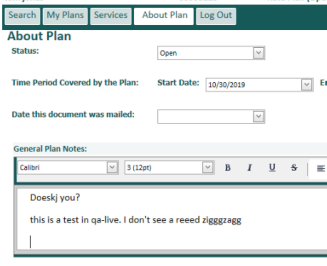
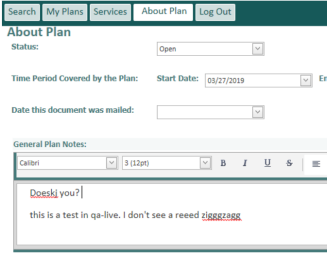
- Previous functionality: After the last release, when a user worked in MnSP through Internet Explorer (IE), the red zigzag (check-as-you-type spell check) no longer displayed under misspelled words.
New functionality: We corrected code to include the check-as-you-type spell check, which allows the red zigzag to display under misspelled words.
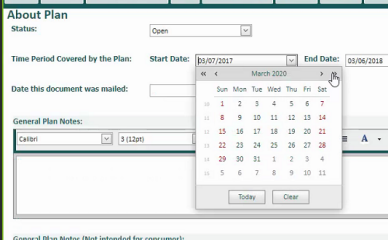
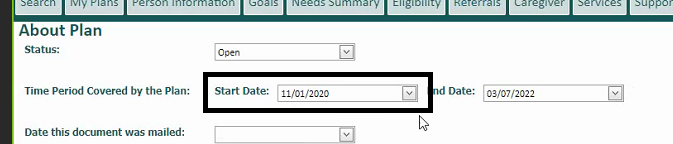
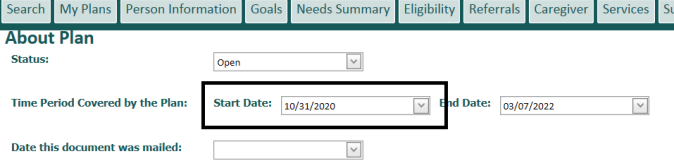
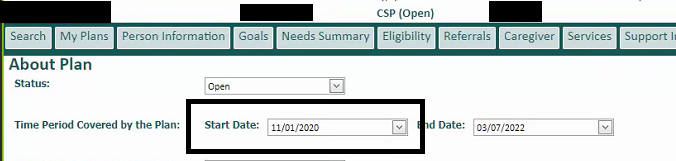
- Previous functionality: Dates changed from 11/1/2020 to 10/31/2020 in various areas of MnSP because of daylight savings time.
New functionality: We corrected code to recognize daylight savings dates and allow those dates to remain after changing tabs.
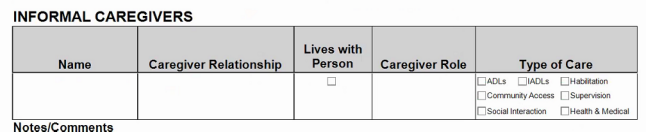
- Previous functionality: On a printed CSP, the caregiver check boxes displayed and were filled in when the user did not enter any caregiver information.
New functionality: We corrected code to prevent the caregiver information from displaying filled in on the printed CSP unless a user enters caregiver information on the Caregiver tab.
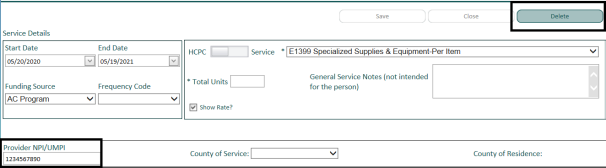
- Previous functionality: The user received a notification message about deleting the service line after entering the Provider NPI/UMPI number and hitting enter on the keyboard because the cursor was focused on the Delete button instead of the Provider NPI/UMPI field.
New functionality: We corrected the button properties so the cursor focus is on the Provider NPI/UMPI field after the user enters the NPI/UMPI number. No notification message displays.
As you work in the new MnSP release, here is the companion documentation:
- This release includes the launch of the RS Tool. The RS Tool is used to develop a person’s residential services plan and rate. Users can access the RS Tool in MnSP and complete the tool using a CSSP or Rate Plan. All lead agencies, including counties, tribal nations and MCOs are required to use the RS Tool after launch.
Lead agencies may find more information about the RS Tool on the Support Plan page of MnCHOICES CountyLink. We will host post-launch call support for lead agencies after the release is complete. Visit the Elderly Waiver Residential Services Tool webinar, pre- and post-launch calls schedule for dates and times.
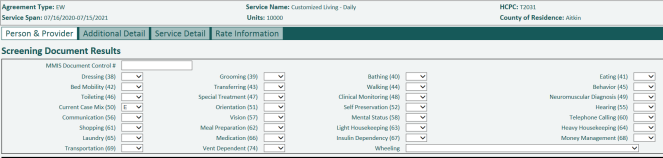
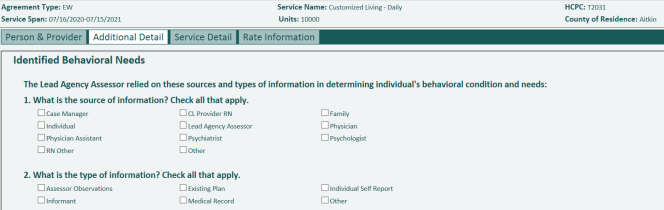
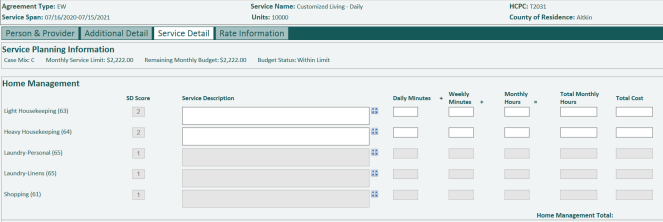
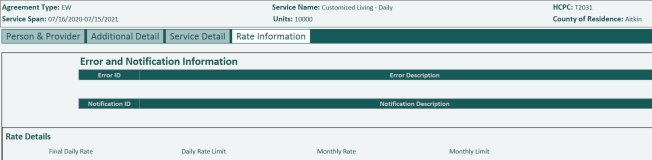
- Before the release, users experienced performance issues in various areas of MnSP. After the release, improvements in the interaction between the web application and the database should provide some positive performance improvements on the Services tab and with the print preview of the CSSP and all Rate Input Reports.
Screen shots do not provide any additional clarification
- Between the 20.6.1 and 20.8.1 releases, when a user worked in MnSP through IE, the red zigzag (check-as-you-type spell check) no longer displayed under misspelled words in the General Plan Notes. The user had to use the “Spell Check” button to check for misspelled words. After the release, we corrected code to include the check-as-you-type spell check, which allows the red zigzag to display under misspelled words.
Before
After
- Before the release, dates changed from 11/1/2020 to 10/31/2020 in various areas of MnSP because of daylight savings time. A user would select the date of 11/1/2020, save the date, change tabs, return to the original tab the date was selected and the date changed to 10/31/2020. Areas affected were:
- About Plan tab (start date, end date and date the document was mailed)
- Services tab (service agreement and service lines, start date and end date, and AC agreement effective date)
- Person Information tab (Health Insurance and Payers, effective date)
After the release, we corrected code to recognize daylight savings dates and allow those dates to remain after changing tabs.
Before

After
- Before the release, on a printed CSP, the caregiver check boxes displayed and were filled in when the user did not enter any caregiver information. After the release, we corrected code to prevent the caregiver information from displaying filled in on the printed CSP unless a user enters caregiver information on the Caregiver tab.
Before


After
- Before the release, the user received a notification message about deleting the service line after entering the Provider NPI/UMPI number and hitting enter on the keyboard because the cursor was focused on the Delete button instead of the Provider NPI/UMPI field. After the release, we corrected the button properties so the cursor focus is on the Provider NPI/UMPI field after the user enters the NPI/UMPI number. The user is not clicking the delete button. No notification message displays.
Before

After - Screen shots do not provide any additional clarification
 Report this page