

Resolve the CLU entry problem in MnCHOICES Step 4 – Recertification (MNCH8020)
Overview
DHS has concluded that one or more cookies are preventing assessors from entering CLUs in “MnCHOICES Step 4 – Recertification (MNCH8020).” Delete all browser cookies with the ".mn.gov.” domain.
Instructions
Follow the detailed instructions below:
- Go to the TrainLink Disability Services Division (DSD) learning center.
- Do not log in. If the system automatically logs you in, sign out of your profile.

- Right click on an empty area of the screen and open “Inspect” from the menu.

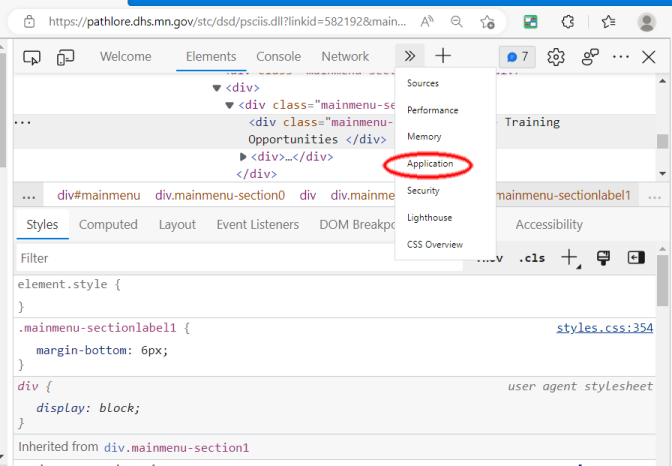
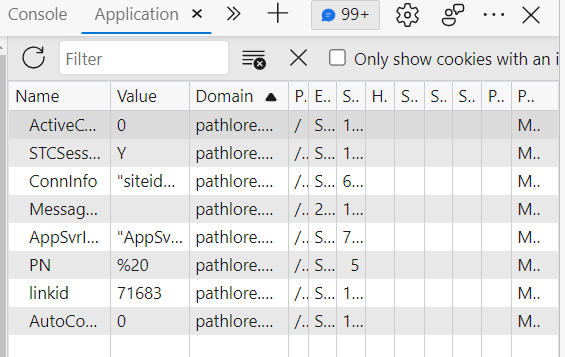
- Select “Application” from the top menu bar of the browser window that just opened.
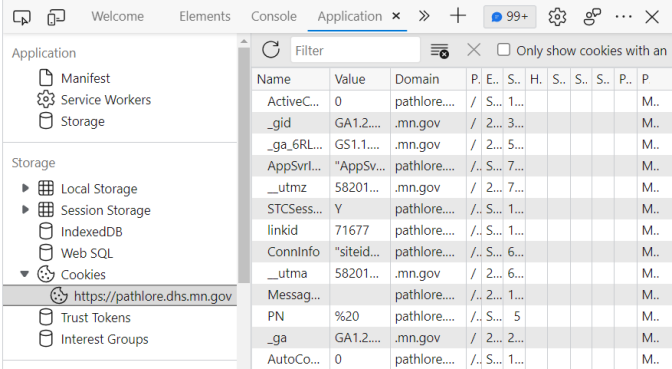
- Double-click “Cookies,” and select the item that includes “pathlore.dhs.mn.gov” in the dropdown.
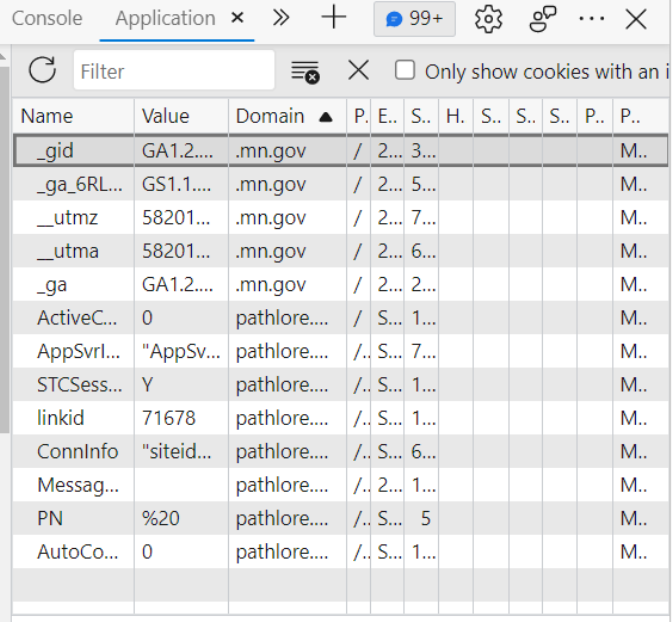
- Go to the domain column header and sort the results by domain.

- Select one whole row with “.mn.gov” in the domain column.
- With your mouse hovering over the selected row, right-click and select “Delete” or hit delete using the keyboard.
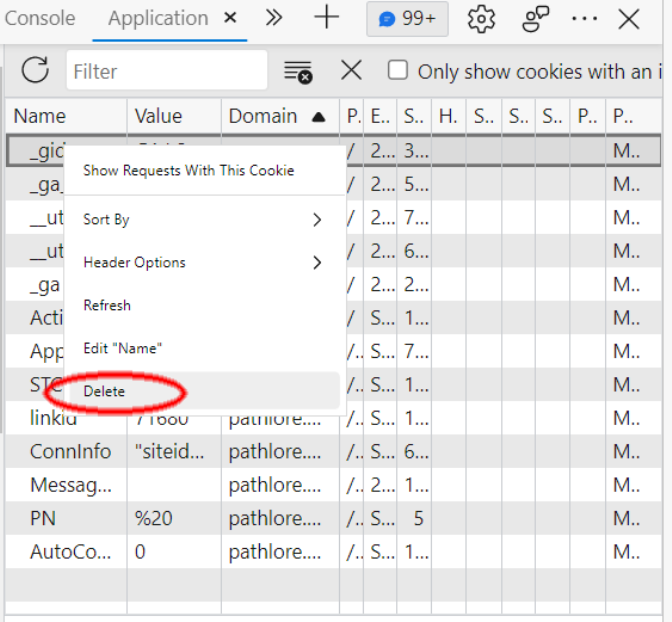
- Repeat until all rows with “.mn.gov” in the domain column are deleted.
- Close the browser.
- Open the browser and go to the TrainLink DSD learning center.
- Log in and search for “MnCHOICES Step 4 – Recertification (MNCH8020).” Launch the CLU documentation module.
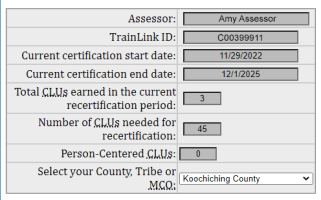
- Your name should populate in the field at the top, as well as the dates of your current certificate.
 Report this page