
MHCP - MN–ITS Direct Data Entry (DDE) User Guide
Authorization Request (278) – Home Care Services
There are two ways to request authorization to provide the following home care services.
Providers can request authorization and submit supporting documents directly using the medical review agent portal. Refer to the Authorization section of the MHCP Provider Manual for contacting the medical review agent to access the portal.
Or, providers can submit their request for authorization using MN–ITS and fax supporting documents to the medical review agent.
Completing MN–ITS Direct Data Entry
Use the Home Health Care Authorization Request (278) to request authorization in MN–ITS for skilled nursing, home health aide or home care nursing services.
Contact the case manager if the recipient is on a waiver or the Alternative Care (AC) programs.
Complete Authorization Tab
Complete Services Tab
Authorization Response
Authorization Request Outcome
Login to MN–ITS
Complete Authorization Tab
Follow the instructions in the table below to complete the authorization tab for home health care services. Single red asterik (*) is a required field.
Field Instruction | MN–ITS Field |
Authorization Category | |
Select Home Health Care as the Service Type Code | 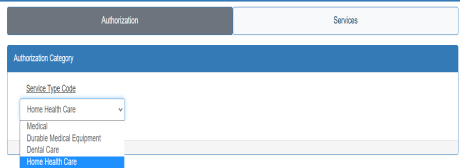 |
Requester | |
Verify the Organization or Last Name is correct. If incorrect, type in the information. Note: Organization or Last Name auto-populates based on the NPI/UMPI you use when you login to MN–ITS. | 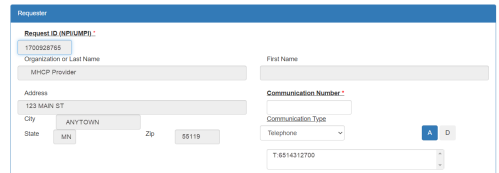 |
(Consolidated providers only) Select the Look Up action button to open a pop-up window that displays your service locations. Note: Non-consolidated providers will not see this option and should continue to Organization or Last Name. |  |
(Consolidated providers only) Select Show Taxonomy in the pop-up window. | 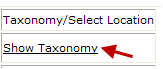 |
(Consolidated providers only) | 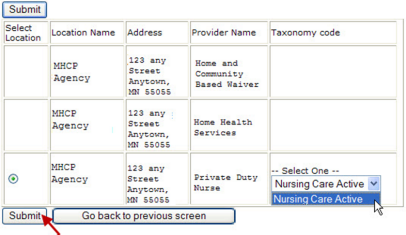 |
Enter the Communication Number or email information to contact the person who completed the assessment. The communication number must in the following formats: |  |
Select the drop down arrow to display and select the communication Type: | 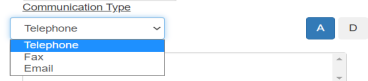 |
Select “A” to add and store the communication information. Repeat the two steps above to add up to 3 communication types. | 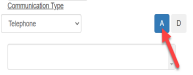 |
Enter the last name of the nurse who completed the assessment in the Contact Last Name field. |  |
Enter the first name of the nurse who completed the assessment in the Contact First Name field. |  |
IHS/Tribal providers only: Enter your three-digit tribal identifier in the Supplement ID field. |  |
Subscriber | |
Enter the 8-digit MHCP id number from the recipient’s MHCP ID card in the Subscriber ID field. |  |
Enter the Birthdate of the recipient in the MMDDCCYY format with or without dashes and slashes. (ex.01012001, 01/01/2001 or 01-01-2001) |  |
Enter the Last Name of the recipient. |  |
Enter the First Name of the recipient. |  |
Patient Event | |
The Certification Type Code defaults to I. |  |
Enter the Diagnosis Code(s) and select “A” to add the code into the additional field. Remove a diagnosis code: select and highlight the code from the additional field then select “D” to delete. | 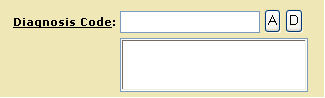 |
Enter the date of the nurse conducted the home care assessment in the Event Date field. Use the MMDDCCYY format. |  |
Enter the treatment plan/additional information about the request. Note: | 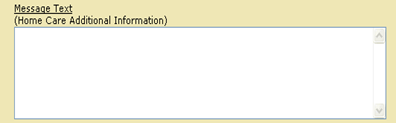 |
Complete the Services Tab
Follow the instructions in the table below to complete the Services tab for home health care services.
Select the Services tab at the top of the screen. |  |
Enter the end date if you know the last date of service for this request. Use mm/dd/ccyy format. The Medical Review Agent will determine the end date upon review. |  |
Enter the appropriate Procedure Code that requires authorization. |  |
Enter modifier in the Modifiers field when necessary. Select A to add the modifier to the next field. To delete, select the entry then select D. |  |
Enter the number of units you are requesting. |  |
Enter the total dollar amount you are billing for the line. Multiply your usual and customary charge by the number of units in the quantity field to get the total dollar amount. |  |
Select the frequency of the home care visit in the Time Period Qualifier field. Use the following frequencies: HCN - Daily | 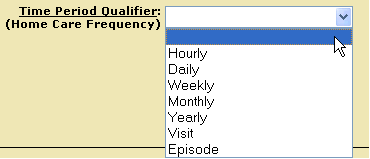 |
Enter the NPI of the Physician who ordered the service in the Provider NPI field. The last and first name fields will auto-populate with the physician’s information. | 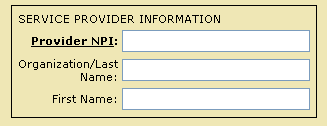 |
Select the Save button to save the line item. To add additional lines, select the New button to clear the fields on the screen, and then add the additional line(s). To delete a line, select the line item then select the Delete button |  |
Saved line information is visible next to the blue dot on top of page. Repeat above steps until all line items are entered. |  |
Select the Submit action button and receive your response. |  |
Authorization Response
Use the information below to help understand the response after you submit your request.
AUTHORIATION (278) RESPONSE | |
Print and maintain a copy of the Authorization response. | 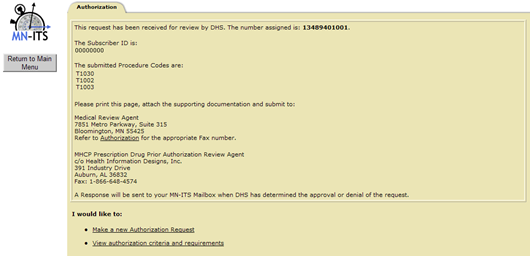 |
The number assigned to the request displays at the top of the response. |  |
The response contains information to fax the response with additional documentation when necessary. All long term requests require supporting documentation – see the Homecare Section of the MHCP Provider Manual for documentation requirements. For long term requests, write the11-digit number assigned on each page of your documentation and fax a copy of the response with your documentation to the medical review agent at 866-889-6512. |  |
Authorization Request Outcome
A medical review agent reviews the home care authorization requests for medical necessity. After your Authorization Request is approved or denied, retrieve the Authorization determination letter from the MN–ITS Mailbox Miscellaneous Received, SAL file type folder.
 Report this page